☰ Menu

Y9 - SU1.3 - Other Pages and Links

⏱️ Do It Now

Create a OneNote Page and copy this into the title:

Lesson 3 - Summer 1 - Other Pages and Links


Copy this into a OneNote Page and complete it

📝 Do It Now

Answer each of the following:

(1) List the different HTML tags you have used so far


(2) Explain why HTML tags come in pairs


(3) Discuss the difference between HTML and CSS


Extension:

Explain why HTML is a markup language and not a programming language


🎯 Learning Objectives


  • LO1: Learn how to create additional webpages in a website
  • LO2: Learn how to create a navigation menu; using anchor tags
  • LO3: Learn how to edit the style of a navigation menu with CSS classes

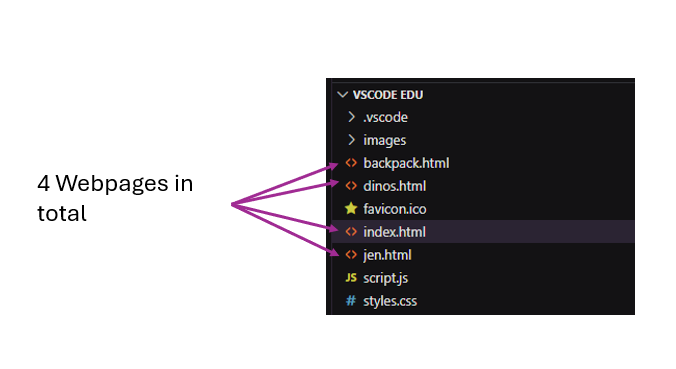
🎥 Create additional pages in your website directory

(1) Work with This video to learn how to create additional pages in your website directory


It should look like this

Click for template code for each page
<!DOCTYPE html>

<html>
    <head>
        <title>My Website</title>
        <link rel="stylesheet" href="styles.css" />
        <link rel="icon" href="favicon.ico" type="image/x-icon" />
        <script type="text/javascript" src="script.js"></script>
    </head>

    <body>
 
<!-- Content Goes here! -->
    
    </body>
</html>

➡️ Next Slide ➡️

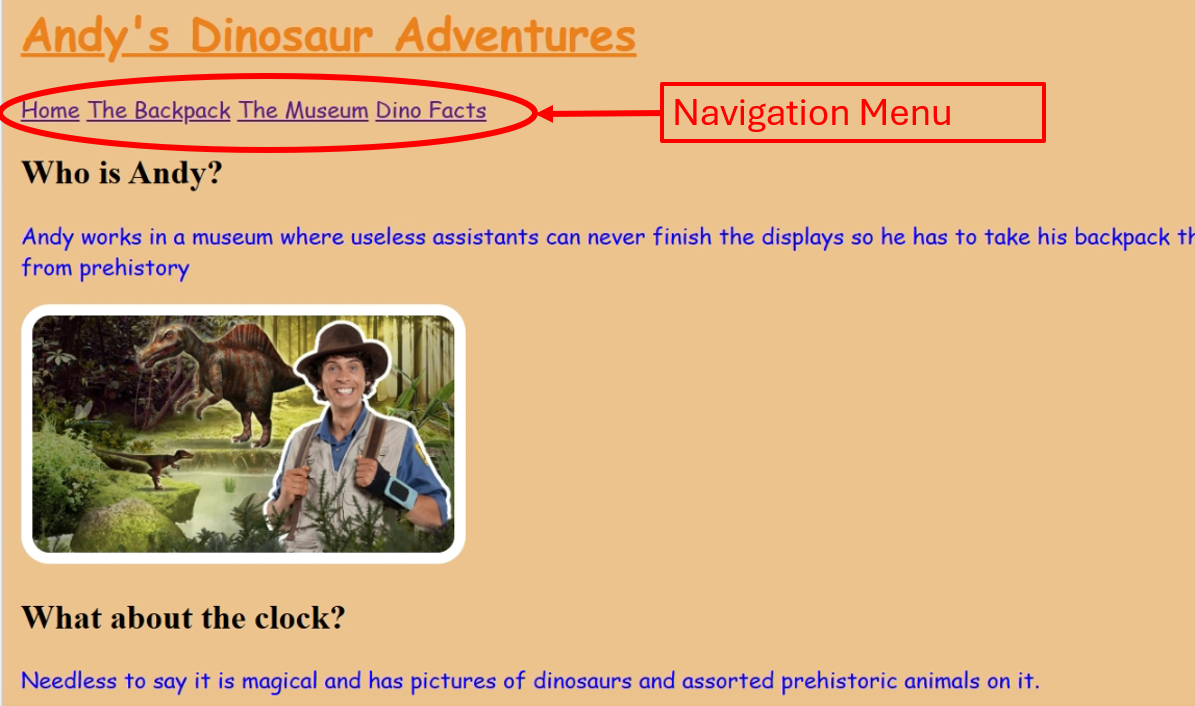
🎥 Create a Navigation Menu

(2) Work with This video to learn how to create a navigation menu between the different pages of your website


It should look like this
➡️ Next Slide ➡️

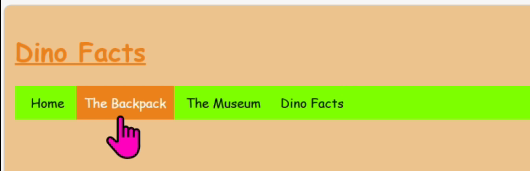
🎥 Add CSS Styles to The Navigation Menu

(3) Work with This video to learn how to use a CSS class to improve the aesthetic of your navigation menu


It should look like this
➡️ Next Slide ➡️

📝 Independent Activity

Instructions:

  • Add further content to the different pages of your website
  • Ensure there is an appropriate balance of images and text
  • Use the slideshows from the past two lessons as refernece